← All tools

Build with AI

Cursor

Cursor is an AI-native code editor — like VS Code, but with AI that reads your whole project and helps you build faster.

This page may contain an affiliate or referral link.
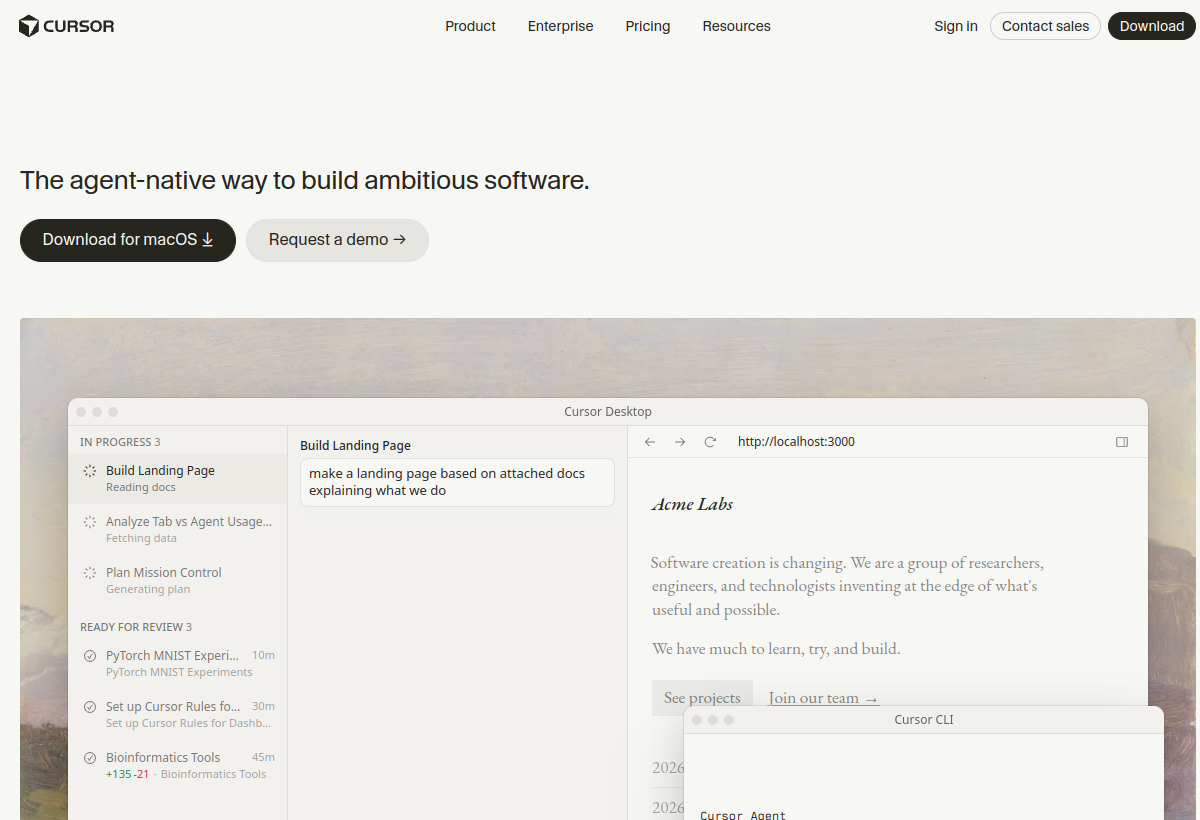
Cursor screenshot
Category
Build with AI
Best for
Students and freshers learning to build with AI, and anyone who wants to ship sites and apps faster.
Pricing
Free tier available; Pro unlocks more AI requests and advanced models.

What it is

Cursor is a desktop code editor built on VS Code. You chat with AI in the sidebar, apply edits across files, and use agents to implement features from plain-English instructions. We use it in every hands-on course because it lowers the barrier for beginners while staying powerful enough for real projects.

How it helps you

Instead of staring at a blank file, you describe what you want — a landing page, a login form, a bug fix — and Cursor drafts, edits and explains the code with full project context. That means students ship a working site in one evening instead of weeks of syntax drills.

Key benefits

  • Build websites and apps by describing what you want in plain English
  • Understand unfamiliar code with inline explanations
  • Refactor and fix errors without hunting Stack Overflow for hours
  • Use the same editor professionals use — skills transfer to any dev job
  • Works with GitHub, Vercel and the rest of our course stack

Pros

  • + Deep project context — AI sees your whole codebase
  • + Familiar VS Code interface and extensions
  • + Strong for beginners and experienced developers alike
  • + Agent mode can implement multi-file features autonomously

Cons

  • Requires a Cursor account; heavy AI usage may need a paid plan
  • You still need to review AI output — it is not magic
  • Desktop app only (not a browser IDE)

How to set up

  1. 01 Download Cursor from cursor.com and install it on your laptop.
  2. 02 Sign in and pick a model (Claude, GPT, etc.) in Settings.
  3. 03 Open a project folder — or start from our course starter template.
  4. 04 Use Cmd/Ctrl+L to chat, or Cmd/Ctrl+K for inline edits.
  5. 05 Connect GitHub when you are ready to save and deploy your work.
Learn on video

Watch & follow along

Tutorials from our channels where available, plus recommended guides to get you started.

What it is Our channel

Claude in Cursor — what's new and why it matters

Santhi Prakash

Watch on YouTube ↗
How it helps Recommended

Cursor AI tutorial — build a full app step by step

Recommended tutorial

Watch on YouTube ↗
How to set up Recommended

Install Cursor and run your first AI-assisted project

Recommended tutorial

Watch on YouTube ↗
Courses

Learn Cursor with us

Hands-on workshops where we use this tool to build real projects.

Ready to try Cursor?

Use our link — it helps support free tutorials.

Get started →

Latest from our channels

All channels →
Git Basics - Learn Git and Github - Coding Essentials Series

Git Basics - Learn Git and Github - Coding Essentials Series

@ezcademy

How to Optimize Storage in Windows Operating System

How to Optimize Storage in Windows Operating System

@ezcademy

Claim Fast - Bolt, Hostinger and other tools as Bundle offer for 1 year

Claim Fast - Bolt, Hostinger and other tools as Bundle offer for 1 year

@ezcademy

Get Bolt, Hostinger for 1 year as Appsumo Bundle Offer #boltnew #hostinger

Get Bolt, Hostinger for 1 year as Appsumo Bundle Offer #boltnew #hostinger

@ezcademytelugu

BoltNew to Github Repository Sync

BoltNew to Github Repository Sync

@ezcademytelugu

bolt is free for 48 hours in Telugu #hackathon #bolt.new

bolt is free for 48 hours in Telugu #hackathon #bolt.new

@ezcademytelugu

Get Bolt, Pica, Emergent and Hostinger for 1 year as Appsumo Bundle Offer #hostingerpromocode

Get Bolt, Pica, Emergent and Hostinger for 1 year as Appsumo Bundle Offer #hostingerpromocode

@ezcademyhindi

Bolt is free for 48 hours #boltnew #bolthackathon

Bolt is free for 48 hours #boltnew #bolthackathon

@ezcademyhindi

Lovable extended the time for Participation in #lovableshipped

Lovable extended the time for Participation in #lovableshipped

@ezcademyhindi

Claude fable 5 available now in Cursor

Claude fable 5 available now in Cursor

@santhiprakashb

AI Deepfakes - How can you Spot?

AI Deepfakes - How can you Spot?

@santhiprakashb

Mulerun by Alibaba Cloud for your AI Workforce #alibabacloud #openclaw

Mulerun by Alibaba Cloud for your AI Workforce #alibabacloud #openclaw

@santhiprakashb

Git Basics - Learn Git and Github - Coding Essentials Series

Git Basics - Learn Git and Github - Coding Essentials Series

@ezcademy

How to Optimize Storage in Windows Operating System

How to Optimize Storage in Windows Operating System

@ezcademy

Claim Fast - Bolt, Hostinger and other tools as Bundle offer for 1 year

Claim Fast - Bolt, Hostinger and other tools as Bundle offer for 1 year

@ezcademy

Get Bolt, Hostinger for 1 year as Appsumo Bundle Offer #boltnew #hostinger

Get Bolt, Hostinger for 1 year as Appsumo Bundle Offer #boltnew #hostinger

@ezcademytelugu

BoltNew to Github Repository Sync

BoltNew to Github Repository Sync

@ezcademytelugu

bolt is free for 48 hours in Telugu #hackathon #bolt.new

bolt is free for 48 hours in Telugu #hackathon #bolt.new

@ezcademytelugu

Get Bolt, Pica, Emergent and Hostinger for 1 year as Appsumo Bundle Offer #hostingerpromocode

Get Bolt, Pica, Emergent and Hostinger for 1 year as Appsumo Bundle Offer #hostingerpromocode

@ezcademyhindi

Bolt is free for 48 hours #boltnew #bolthackathon

Bolt is free for 48 hours #boltnew #bolthackathon

@ezcademyhindi

Lovable extended the time for Participation in #lovableshipped

Lovable extended the time for Participation in #lovableshipped

@ezcademyhindi

Claude fable 5 available now in Cursor

Claude fable 5 available now in Cursor

@santhiprakashb

AI Deepfakes - How can you Spot?

AI Deepfakes - How can you Spot?

@santhiprakashb

Mulerun by Alibaba Cloud for your AI Workforce #alibabacloud #openclaw

Mulerun by Alibaba Cloud for your AI Workforce #alibabacloud #openclaw

@santhiprakashb