← All tools

AI Coding (IDE)

Kilo Code

Kilo Code is an open-source AI coding agent that integrates with VS Code, JetBrains, and CLI to help developers write, refactor, and debug code using over 500 models.

This page may contain an affiliate or referral link.
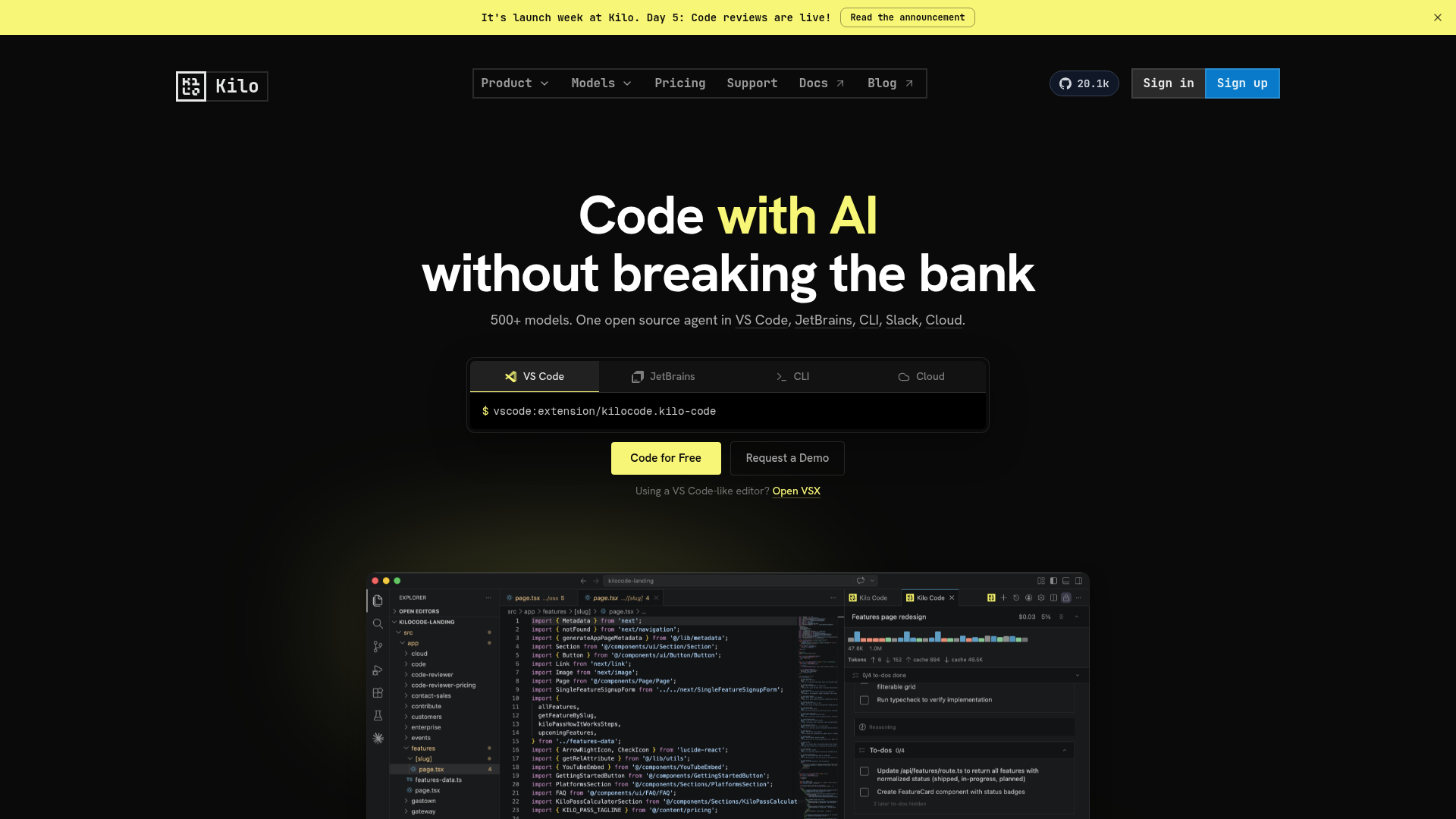
Kilo Code screenshot
Category
AI Coding (IDE)
Best for
Developers seeking a transparent, open-source AI coding assistant that works within their existing IDEs and tools without subscription markups.

What it is

Kilo Code is an open-source agentic coding platform designed for developers who want AI assistance without vendor lock-in or markup fees. It provides specialized modes for coding, architecture planning, and debugging while allowing users to bring their own API keys or use local models. The tool works across multiple environments, including IDEs, terminal, and cloud agents, making it suitable for individual developers and teams requiring flexible AI workflows.

How it helps you

Kilo Code adds an agentic AI assistant to VS Code and JetBrains with transparent pricing — bring your own API keys, no markup on model costs.

Key benefits

  • Open source and auditable
  • 500+ models supported
  • Specialized modes for debug, architect and code
  • No subscription markup on API usage

Pros

  • + Integrates with VS Code, JetBrains, CLI, and cloud environments
  • + Open-source with transparent prompts and no markup on model costs
  • + Offers specialized agent modes for coding, debugging, and architecture
  • + Supports 500+ models and bring-your-own-key flexibility

Cons

  • Requires configuration to bring your own API keys for full functionality
  • Wide range of supported platforms may complicate initial setup for some users

How to set up

  1. 01 Install the Kilo Code extension in VS Code or JetBrains.
  2. 02 Add your API key in extension settings.
  3. 03 Pick an agent mode for your task.
  4. 04 Accept or reject proposed edits file by file.
Learn on video

Watch & follow along

Tutorials from our channels where available, plus recommended guides to get you started.

What it is

Kilo Code — open AI coding agent

Tutorial coming soon

We're recording a dedicated tutorial for this tool — follow @santhiprakashb or @ezcademy for updates.

How it helps

Agent modes in Kilo Code explained

Tutorial coming soon

We're recording a dedicated tutorial for this tool — follow @santhiprakashb or @ezcademy for updates.

How to set up

Configure Kilo Code in VS Code

Tutorial coming soon

We're recording a dedicated tutorial for this tool — follow @santhiprakashb or @ezcademy for updates.

Ready to try Kilo Code?

Use our link — it helps support free tutorials.

Get started →

Latest from our channels

All channels →
Git Basics - Learn Git and Github - Coding Essentials Series

Git Basics - Learn Git and Github - Coding Essentials Series

@ezcademy

How to Optimize Storage in Windows Operating System

How to Optimize Storage in Windows Operating System

@ezcademy

Claim Fast - Bolt, Hostinger and other tools as Bundle offer for 1 year

Claim Fast - Bolt, Hostinger and other tools as Bundle offer for 1 year

@ezcademy

Get Bolt, Hostinger for 1 year as Appsumo Bundle Offer #boltnew #hostinger

Get Bolt, Hostinger for 1 year as Appsumo Bundle Offer #boltnew #hostinger

@ezcademytelugu

BoltNew to Github Repository Sync

BoltNew to Github Repository Sync

@ezcademytelugu

bolt is free for 48 hours in Telugu #hackathon #bolt.new

bolt is free for 48 hours in Telugu #hackathon #bolt.new

@ezcademytelugu

Get Bolt, Pica, Emergent and Hostinger for 1 year as Appsumo Bundle Offer #hostingerpromocode

Get Bolt, Pica, Emergent and Hostinger for 1 year as Appsumo Bundle Offer #hostingerpromocode

@ezcademyhindi

Bolt is free for 48 hours #boltnew #bolthackathon

Bolt is free for 48 hours #boltnew #bolthackathon

@ezcademyhindi

Lovable extended the time for Participation in #lovableshipped

Lovable extended the time for Participation in #lovableshipped

@ezcademyhindi

Claude fable 5 available now in Cursor

Claude fable 5 available now in Cursor

@santhiprakashb

AI Deepfakes - How can you Spot?

AI Deepfakes - How can you Spot?

@santhiprakashb

Mulerun by Alibaba Cloud for your AI Workforce #alibabacloud #openclaw

Mulerun by Alibaba Cloud for your AI Workforce #alibabacloud #openclaw

@santhiprakashb

Git Basics - Learn Git and Github - Coding Essentials Series

Git Basics - Learn Git and Github - Coding Essentials Series

@ezcademy

How to Optimize Storage in Windows Operating System

How to Optimize Storage in Windows Operating System

@ezcademy

Claim Fast - Bolt, Hostinger and other tools as Bundle offer for 1 year

Claim Fast - Bolt, Hostinger and other tools as Bundle offer for 1 year

@ezcademy

Get Bolt, Hostinger for 1 year as Appsumo Bundle Offer #boltnew #hostinger

Get Bolt, Hostinger for 1 year as Appsumo Bundle Offer #boltnew #hostinger

@ezcademytelugu

BoltNew to Github Repository Sync

BoltNew to Github Repository Sync

@ezcademytelugu

bolt is free for 48 hours in Telugu #hackathon #bolt.new

bolt is free for 48 hours in Telugu #hackathon #bolt.new

@ezcademytelugu

Get Bolt, Pica, Emergent and Hostinger for 1 year as Appsumo Bundle Offer #hostingerpromocode

Get Bolt, Pica, Emergent and Hostinger for 1 year as Appsumo Bundle Offer #hostingerpromocode

@ezcademyhindi

Bolt is free for 48 hours #boltnew #bolthackathon

Bolt is free for 48 hours #boltnew #bolthackathon

@ezcademyhindi

Lovable extended the time for Participation in #lovableshipped

Lovable extended the time for Participation in #lovableshipped

@ezcademyhindi

Claude fable 5 available now in Cursor

Claude fable 5 available now in Cursor

@santhiprakashb

AI Deepfakes - How can you Spot?

AI Deepfakes - How can you Spot?

@santhiprakashb

Mulerun by Alibaba Cloud for your AI Workforce #alibabacloud #openclaw

Mulerun by Alibaba Cloud for your AI Workforce #alibabacloud #openclaw

@santhiprakashb