← Bolt overview Santhi Prakash

How-to guide

Bolt: step-by-step

Bolt is an AI-powered development environment that enables users to build and deploy full-stack web applications through a conversational chat interface.

Download as PDF ↓
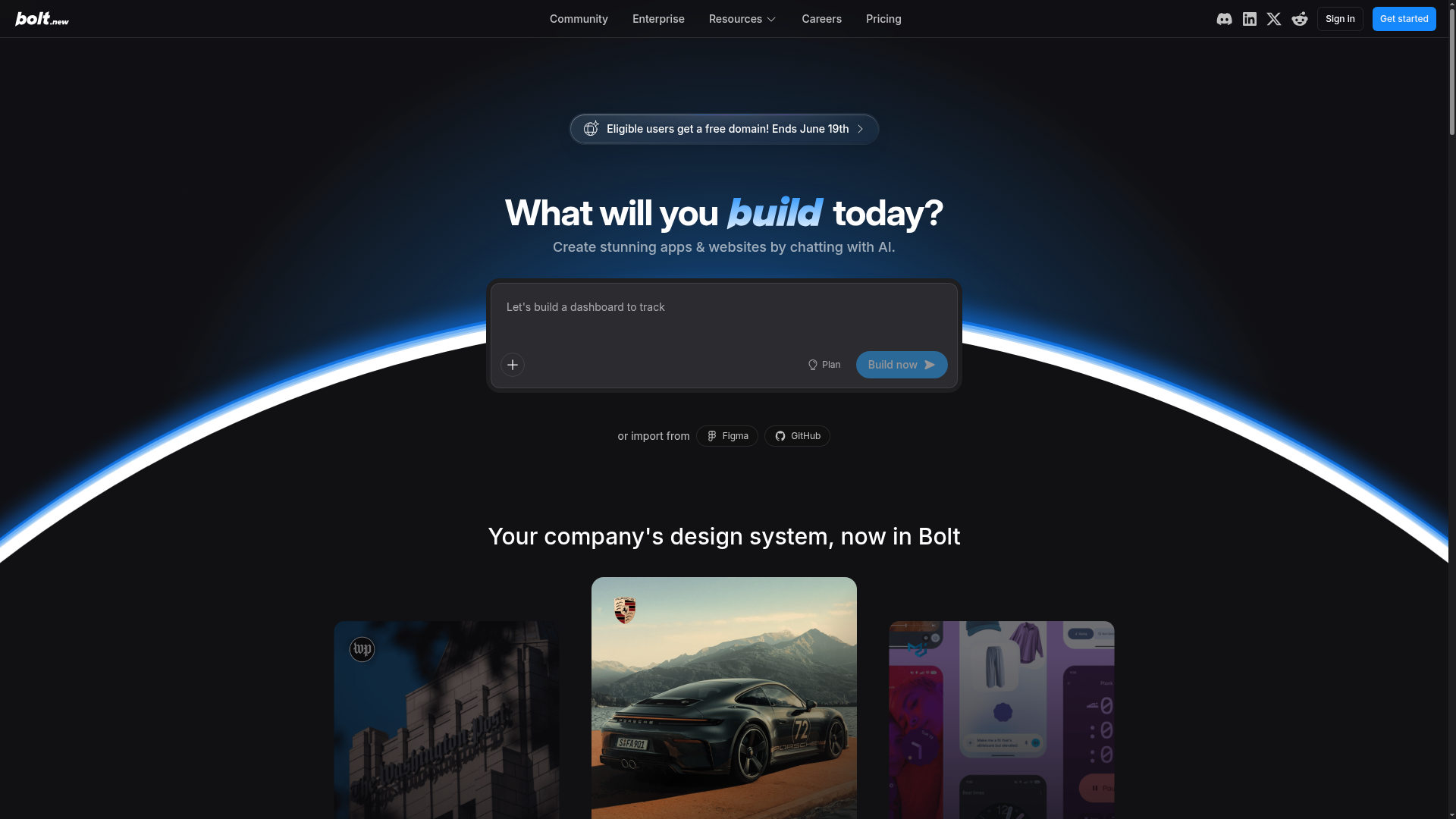
Bolt screenshot

Step by step

Follow along

  1. 1

    Open Bolt in your browser

    Go to bolt.new — no installation needed. You can start building immediately with a free account using your email or by signing in with GitHub or Google.

  2. 2

    Describe your app in the prompt box

    Type a plain-English description of what you want to build (for example, 'a to-do app with a dark theme and local storage') and click 'Build now'. Bolt's AI agent generates a full project with code, routing, and a live preview.

  3. 3

    Review the generated code and live preview

    Bolt shows a split view with the generated code on one side and a live preview on the other. You can inspect files in the file tree and see your app running instantly without any local setup.

  4. 4

    Iterate by chatting with the agent

    Type follow-up instructions in the chat panel — for example, 'add a login page' or 'change the button color to blue' — and Bolt edits the relevant files and refreshes the preview automatically.

  5. 5

    Import from GitHub or Figma

    Use the 'Import from GitHub' or 'Import from Figma' options on the homepage to start from an existing repository or design file instead of an empty project.

  6. 6

    Publish and share your app

    Click the 'Publish' or 'Deploy' button to get a live public URL for your project hosted on Bolt Cloud, which includes built-in hosting, a database, and user authentication.

Best practices

Do it like a pro

Free download

Get the Bolt guide as a PDF

Keep the full guide — steps, shortcuts and best practices — with you. Drop your email and download it; we'll only send useful AI-building tips.

The PDF is watermarked and carries our links — please share it with the footer intact.

No spam — the PDF downloads instantly.

Ready to try Bolt?

See Bolt details & get started →

Latest from our channels

All channels →
Git Basics - Learn Git and Github - Coding Essentials Series

Git Basics - Learn Git and Github - Coding Essentials Series

@ezcademy

How to Optimize Storage in Windows Operating System

How to Optimize Storage in Windows Operating System

@ezcademy

Claim Fast - Bolt, Hostinger and other tools as Bundle offer for 1 year

Claim Fast - Bolt, Hostinger and other tools as Bundle offer for 1 year

@ezcademy

Get Bolt, Hostinger for 1 year as Appsumo Bundle Offer #boltnew #hostinger

Get Bolt, Hostinger for 1 year as Appsumo Bundle Offer #boltnew #hostinger

@ezcademytelugu

BoltNew to Github Repository Sync

BoltNew to Github Repository Sync

@ezcademytelugu

bolt is free for 48 hours in Telugu #hackathon #bolt.new

bolt is free for 48 hours in Telugu #hackathon #bolt.new

@ezcademytelugu

Get Bolt, Pica, Emergent and Hostinger for 1 year as Appsumo Bundle Offer #hostingerpromocode

Get Bolt, Pica, Emergent and Hostinger for 1 year as Appsumo Bundle Offer #hostingerpromocode

@ezcademyhindi

Bolt is free for 48 hours #boltnew #bolthackathon

Bolt is free for 48 hours #boltnew #bolthackathon

@ezcademyhindi

Lovable extended the time for Participation in #lovableshipped

Lovable extended the time for Participation in #lovableshipped

@ezcademyhindi

Claude fable 5 available now in Cursor

Claude fable 5 available now in Cursor

@santhiprakashb

AI Deepfakes - How can you Spot?

AI Deepfakes - How can you Spot?

@santhiprakashb

Mulerun by Alibaba Cloud for your AI Workforce #alibabacloud #openclaw

Mulerun by Alibaba Cloud for your AI Workforce #alibabacloud #openclaw

@santhiprakashb

Git Basics - Learn Git and Github - Coding Essentials Series

Git Basics - Learn Git and Github - Coding Essentials Series

@ezcademy

How to Optimize Storage in Windows Operating System

How to Optimize Storage in Windows Operating System

@ezcademy

Claim Fast - Bolt, Hostinger and other tools as Bundle offer for 1 year

Claim Fast - Bolt, Hostinger and other tools as Bundle offer for 1 year

@ezcademy

Get Bolt, Hostinger for 1 year as Appsumo Bundle Offer #boltnew #hostinger

Get Bolt, Hostinger for 1 year as Appsumo Bundle Offer #boltnew #hostinger

@ezcademytelugu

BoltNew to Github Repository Sync

BoltNew to Github Repository Sync

@ezcademytelugu

bolt is free for 48 hours in Telugu #hackathon #bolt.new

bolt is free for 48 hours in Telugu #hackathon #bolt.new

@ezcademytelugu

Get Bolt, Pica, Emergent and Hostinger for 1 year as Appsumo Bundle Offer #hostingerpromocode

Get Bolt, Pica, Emergent and Hostinger for 1 year as Appsumo Bundle Offer #hostingerpromocode

@ezcademyhindi

Bolt is free for 48 hours #boltnew #bolthackathon

Bolt is free for 48 hours #boltnew #bolthackathon

@ezcademyhindi

Lovable extended the time for Participation in #lovableshipped

Lovable extended the time for Participation in #lovableshipped

@ezcademyhindi

Claude fable 5 available now in Cursor

Claude fable 5 available now in Cursor

@santhiprakashb

AI Deepfakes - How can you Spot?

AI Deepfakes - How can you Spot?

@santhiprakashb

Mulerun by Alibaba Cloud for your AI Workforce #alibabacloud #openclaw

Mulerun by Alibaba Cloud for your AI Workforce #alibabacloud #openclaw

@santhiprakashb