← All tools

AI Coding (IDE)

Kilo Code

Kilo Code is an open-source AI coding agent platform that integrates with VS Code and JetBrains to provide transparent, cost-efficient development across 500+ models.

This page may contain an affiliate or referral link.

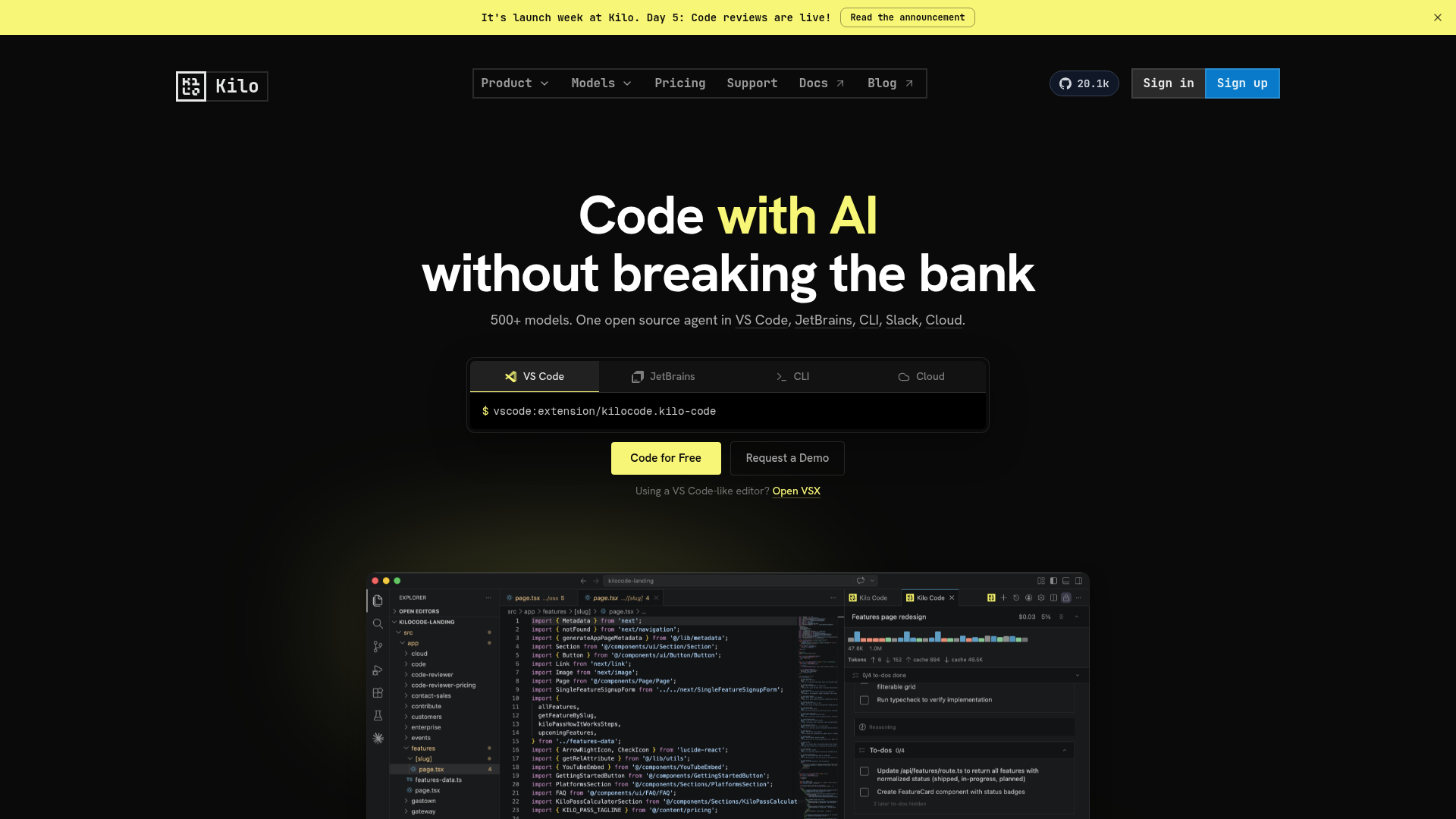
Kilo Code screenshot
Category
AI Coding (IDE)
Best for
Best for developers and students seeking a transparent, budget-friendly AI coding solution that offers model flexibility and open-source extensibility.

What it is

It is a platform for developers and students that embeds an open-source AI agent directly into VS Code, JetBrains, and the CLI. The tool offers specialized modes for coding, debugging, and architectural planning, giving users control over context windows and prompts. Key capabilities include "Bring Your Own Keys" support, access to over 500 models at cost, and a managed cloud agent service called KiloClaw for background tasks.

How it helps you

This tool helps users reduce AI coding costs by routing tasks to the most cost-effective models automatically and eliminating vendor markups. It streamlines the workflow by keeping the agent inside the IDE, allowing for immediate bug fixes and code refactoring without switching contexts.

Key benefits

  • Access to 500+ models with zero markup on inference costs
  • Open-source code base allows full inspection and self-hosting
  • Integrated agent modes for coding, debugging, and architecture
  • Supports local models and bring-your-own-key configurations
  • Managed cloud agents available for autonomous 24/7 operation
  • Seamless handoff between IDE, CLI, and cloud environments

Pros

  • + Transparent architecture with no black-box decision making
  • + Cost-efficient pricing model allows maximizing AI output per dollar
  • + Broad platform support works across major development environments
  • + Flexible model selection prevents vendor lock-in

Cons

  • Setting up and managing keys for multiple model providers adds configuration overhead
  • Advanced autonomous features require a separate cloud agent service
  • The breadth of options may overwhelm users who prefer simple, plug-and-play tools

How to set up

  1. 01 Install the Kilo Code extension in VS Code or JetBrains.
  2. 02 Add your API key in extension settings.
  3. 03 Pick an agent mode for your task.
  4. 04 Accept or reject proposed edits file by file.
How-to guide

Set up & use Kilo Code, step by step

A clear walkthrough with best practices — read it online or download the PDF.

Read the how-to guide →

Ready to try Kilo Code?

Use our link — it helps support free tutorials.

Get started →

Latest from our channels

All channels →
Git Basics - Learn Git and Github - Coding Essentials Series

Git Basics - Learn Git and Github - Coding Essentials Series

@ezcademy

How to Optimize Storage in Windows Operating System

How to Optimize Storage in Windows Operating System

@ezcademy

Claim Fast - Bolt, Hostinger and other tools as Bundle offer for 1 year

Claim Fast - Bolt, Hostinger and other tools as Bundle offer for 1 year

@ezcademy

Get Bolt, Hostinger for 1 year as Appsumo Bundle Offer #boltnew #hostinger

Get Bolt, Hostinger for 1 year as Appsumo Bundle Offer #boltnew #hostinger

@ezcademytelugu

BoltNew to Github Repository Sync

BoltNew to Github Repository Sync

@ezcademytelugu

bolt is free for 48 hours in Telugu #hackathon #bolt.new

bolt is free for 48 hours in Telugu #hackathon #bolt.new

@ezcademytelugu

Get Bolt, Pica, Emergent and Hostinger for 1 year as Appsumo Bundle Offer #hostingerpromocode

Get Bolt, Pica, Emergent and Hostinger for 1 year as Appsumo Bundle Offer #hostingerpromocode

@ezcademyhindi

Bolt is free for 48 hours #boltnew #bolthackathon

Bolt is free for 48 hours #boltnew #bolthackathon

@ezcademyhindi

Lovable extended the time for Participation in #lovableshipped

Lovable extended the time for Participation in #lovableshipped

@ezcademyhindi

Claude fable 5 available now in Cursor

Claude fable 5 available now in Cursor

@santhiprakashb

AI Deepfakes - How can you Spot?

AI Deepfakes - How can you Spot?

@santhiprakashb

Mulerun by Alibaba Cloud for your AI Workforce #alibabacloud #openclaw

Mulerun by Alibaba Cloud for your AI Workforce #alibabacloud #openclaw

@santhiprakashb

Git Basics - Learn Git and Github - Coding Essentials Series

Git Basics - Learn Git and Github - Coding Essentials Series

@ezcademy

How to Optimize Storage in Windows Operating System

How to Optimize Storage in Windows Operating System

@ezcademy

Claim Fast - Bolt, Hostinger and other tools as Bundle offer for 1 year

Claim Fast - Bolt, Hostinger and other tools as Bundle offer for 1 year

@ezcademy

Get Bolt, Hostinger for 1 year as Appsumo Bundle Offer #boltnew #hostinger

Get Bolt, Hostinger for 1 year as Appsumo Bundle Offer #boltnew #hostinger

@ezcademytelugu

BoltNew to Github Repository Sync

BoltNew to Github Repository Sync

@ezcademytelugu

bolt is free for 48 hours in Telugu #hackathon #bolt.new

bolt is free for 48 hours in Telugu #hackathon #bolt.new

@ezcademytelugu

Get Bolt, Pica, Emergent and Hostinger for 1 year as Appsumo Bundle Offer #hostingerpromocode

Get Bolt, Pica, Emergent and Hostinger for 1 year as Appsumo Bundle Offer #hostingerpromocode

@ezcademyhindi

Bolt is free for 48 hours #boltnew #bolthackathon

Bolt is free for 48 hours #boltnew #bolthackathon

@ezcademyhindi

Lovable extended the time for Participation in #lovableshipped

Lovable extended the time for Participation in #lovableshipped

@ezcademyhindi

Claude fable 5 available now in Cursor

Claude fable 5 available now in Cursor

@santhiprakashb

AI Deepfakes - How can you Spot?

AI Deepfakes - How can you Spot?

@santhiprakashb

Mulerun by Alibaba Cloud for your AI Workforce #alibabacloud #openclaw

Mulerun by Alibaba Cloud for your AI Workforce #alibabacloud #openclaw

@santhiprakashb